
GxP workstation lockdown is only as strong as its weakest exit point — and on Windows, the Start menu has quietly been one of them. Here’s how SecureGxP closes it.
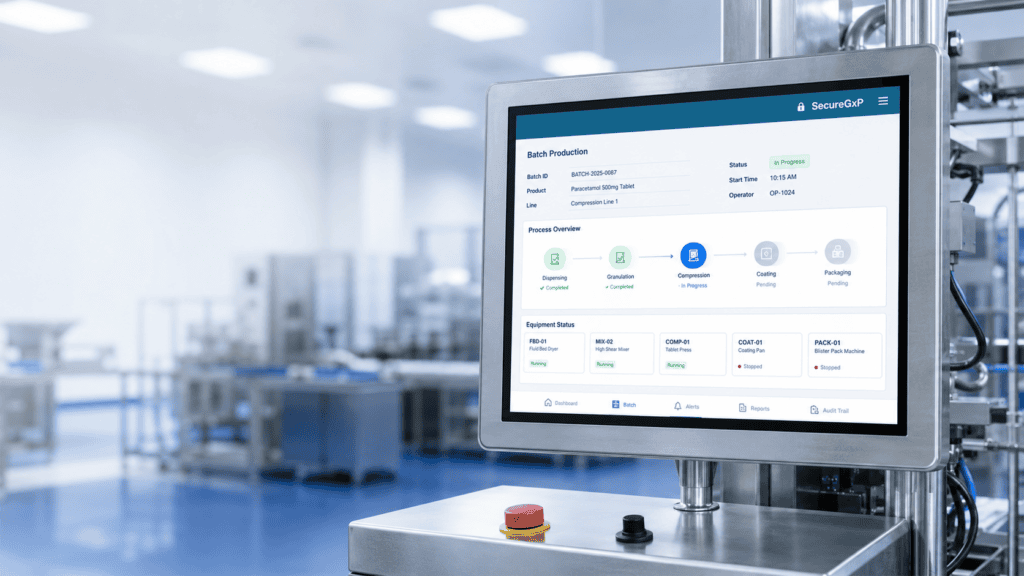
Effective GxP workstation lockdown rests on a simple promise: a validated workstation runs the validated application, and nothing else. That’s the foundation of computer system validation — you qualify a known configuration, document it, and keep the machine in that qualified state.
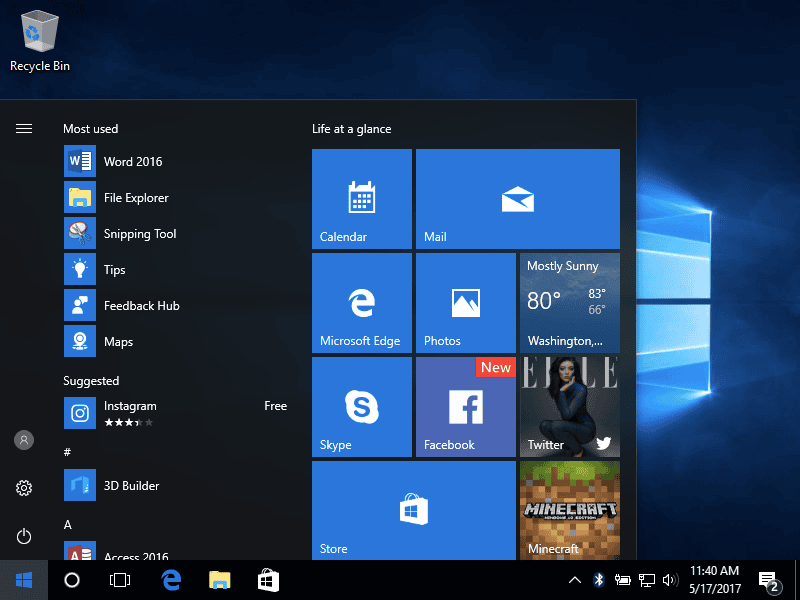
The reality on the plant floor is messier. A workstation running an HMI, a LIMS terminal, or a batch record client is still, underneath, a general-purpose Windows PC. And Windows is relentlessly helpful about offering users ways to leave the application they’re supposed to be in. Press the Windows key, and the Start menu appears. From there it’s two clicks to a browser, a settings panel, or any other installed program.
For most office computing, that’s a feature. For GxP workstation lockdown, it’s an open door.
Why the Start menu undermines pharma endpoint compliance
Access control sits at the center of both 21 CFR Part 11 and EU Annex 11. The expectation is straightforward: systems that manage electronic records must limit what users can do to what they’re authorized to do. Auditors look for evidence that operators can’t wander outside the validated environment — whether accidentally or deliberately.
The Start menu undermines that in a way that’s easy to overlook during validation. You can lock down the application. You can restrict USB ports, disable command prompts, and enforce group policy. But if an operator can still summon the Start menu and launch something unapproved, you have a gap between your documented controls and your actual controls. That gap is exactly the kind of thing a deviation — or an audit finding — is made of.
The tempting fixes tend to create new problems:
- Registry hijacks and IFEO tricks that redirect the Start menu process are persistent system modifications. They survive reboots, but Windows feature and cumulative updates relocate or reset the underlying components, so the control silently breaks — and now your qualified state has drifted without anyone noticing.
- Killing the shell process on a loop causes flicker, CPU churn, and an unstable desktop.
- Replacing the shell entirely (kiosk or assigned-access modes) is heavyweight, disruptive to legacy applications, and often overkill when you simply need a normal desktop minus the Start menu.
None of those are clean. And in a validated environment, “not clean” means “hard to justify to an auditor and painful to roll back during requalification.”
How SecureGxP delivers GxP workstation lockdown
The latest release of SecureGxP — our Windows endpoint hardening and GxP compliance software — adds granular restriction of the Start menu and Windows key on managed workstations. It’s built around a few principles that matter specifically in regulated settings.
Lockdown without persistent system damage
Rather than modifying the operating system in ways that break under servicing, SecureGxP suppresses the Start menu at runtime and leaves the underlying OS untouched. There’s no registry hijack to drift, no shell replacement to maintain, and nothing that a Windows update can quietly undo. Your qualified configuration stays qualified.
Fully reversible by design
This is the part that matters most for validation and rollback. When the controlling policy or license state changes — a machine is decommissioned, a control is lifted for maintenance, or the software is uninstalled — the endpoint returns to a clean, standard Windows configuration. There’s no residual modification left behind. That reversibility is what makes the control defensible in an audit trail and painless during requalification: you can demonstrate both that the restriction was enforced and that removing it leaves the system in a known-good state.
Centrally governed, license-controlled
Enforcement is license-controlled and centrally managed, consistent with how the rest of the SecureGxP platform operates. Endpoint behavior follows policy rather than depending on per-machine manual configuration that’s easy to get wrong and hard to prove — a critical distinction for non-domain-joined and out-of-network GxP machines that fall outside conventional group policy management.
Coverage across modern and legacy Windows
Pharma fleets are rarely uniform. Validated equipment frequently runs older, locked-down Windows builds that can’t simply be upgraded on a whim — the OS is part of the qualified configuration. SecureGxP applies a consistent GxP workstation lockdown across both current and legacy Windows estates, so you’re not left with a modern-only solution and a set of older machines that fall outside it.
GxP workstation lockdown that fits how manufacturers actually work
The goal was never to make workstations hostile to the people using them. Operators still get a normal, functional desktop and taskbar — they simply can’t use the Start menu as an escape hatch out of the validated application. The friction lands where it should (on unauthorized navigation) and stays away from the routine work happening on the floor.
For QA and IT leaders, the value is in the combination: a control that meaningfully reduces the endpoint’s attack surface, that maps cleanly onto Part 11 and Annex 11 access-control expectations, and that behaves correctly under the two conditions validated environments care about most — Windows servicing, and clean rollback.
The bigger picture
Endpoint hardening in pharma isn’t about any single setting. It’s about closing the accumulated small gaps between the controls you’ve documented and the controls that actually hold up when a curious or careless user starts clicking. The Start menu has been one of those gaps for a long time, precisely because the obvious ways to close it were too fragile to trust.
This release is one more step in making SecureGxP the layer that keeps validated Windows endpoints genuinely locked to their intended purpose — without adding operational friction, and without leaving anything behind that a Windows update can break or an auditor can question.
SecureGxP is GxP compliance software for endpoint hardening in pharmaceutical manufacturing, already deployed across enterprise pharma environments. To discuss how GxP workstation lockdown fits your endpoint compliance strategy, get in touch.